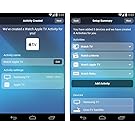


Logitech Harmony 350 Remote Control
Logitech Harmony 350 Remote Control
Click here for Manufacturer Webpage
Package Includes:
- Remote
- USB Cable
Product Features:
- Replaces 8 other remotes: Control your TV, cable/satellite box, DVR, Blu-ray player and more with one easy to use remote control
- Watch TV button: One button press turns on your TV and cable/satellite box with just the right settings
- Programmable Favorites: Personalize Harmony with one-touch buttons that let you quickly jump to any of your 5 channel Favorites
- World's most compatible: Works with 225,000+ devices and 5,000+ brands, including new devices added regularly to Harmony's online database
- Simple guided online setup: Connect the remote to your Internet-connected computer to quickly download commands for all your devices
Logitech Harmony 350
Simply better control. Logitech Harmony 350 gives you better control of what’s attached to your TV—and makes juggling multiple remote controls a thing of the past. Now you can control up to eight different home entertainment devices with one simple-to-set-up and easy-to-use remote control. Plus, Harmony supports 225,000+ devices, so you’ll have the control you need—today and tomorrow.
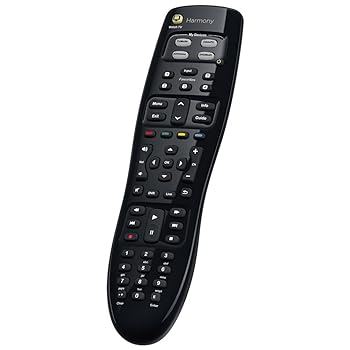
Replaces 8 remotes
Harmony 350 eliminates all the clutter and complications of using multiple remotes for different devices. Streamline control of your TV, cable/satellite box, DVR, Blu-ray player and more with one easy-to-use Harmony Control.
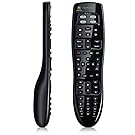
Set-top box/DVR controls
Individually sculpted buttons in logical zones make it easy for everyone in the house to access guides, menus, recorded programs, volume, playback and more.

Watch TV button
One button automatically turns on both your TV and cable/satellite box with just the right settings. So you can quickly change channels on your cable box and volume on your TV without having to switch remotes or settings.

World’s most compatible
Harmony’s ever-growing online database of commands and settings supports 5,000+ brands and over 225,000 devices—including ones you own today or add tomorrow. IR codes for your devices are just the start. Harmony’s database also adds power-on sequencing, timing and even discrete manufacturer commands.

Programmable Favorites
Personalize your Harmony Control with easy-to-program buttons that let you quickly jump right to any of your 5 channel Favorites.

Simple online setup
You’ll enjoy better control in just a few minutes. Simply connect your remote to your Internet-connected computer, go to setup. myharmony. com, and download the commands for your devices. If you have any questions, live customer support is ready to help.